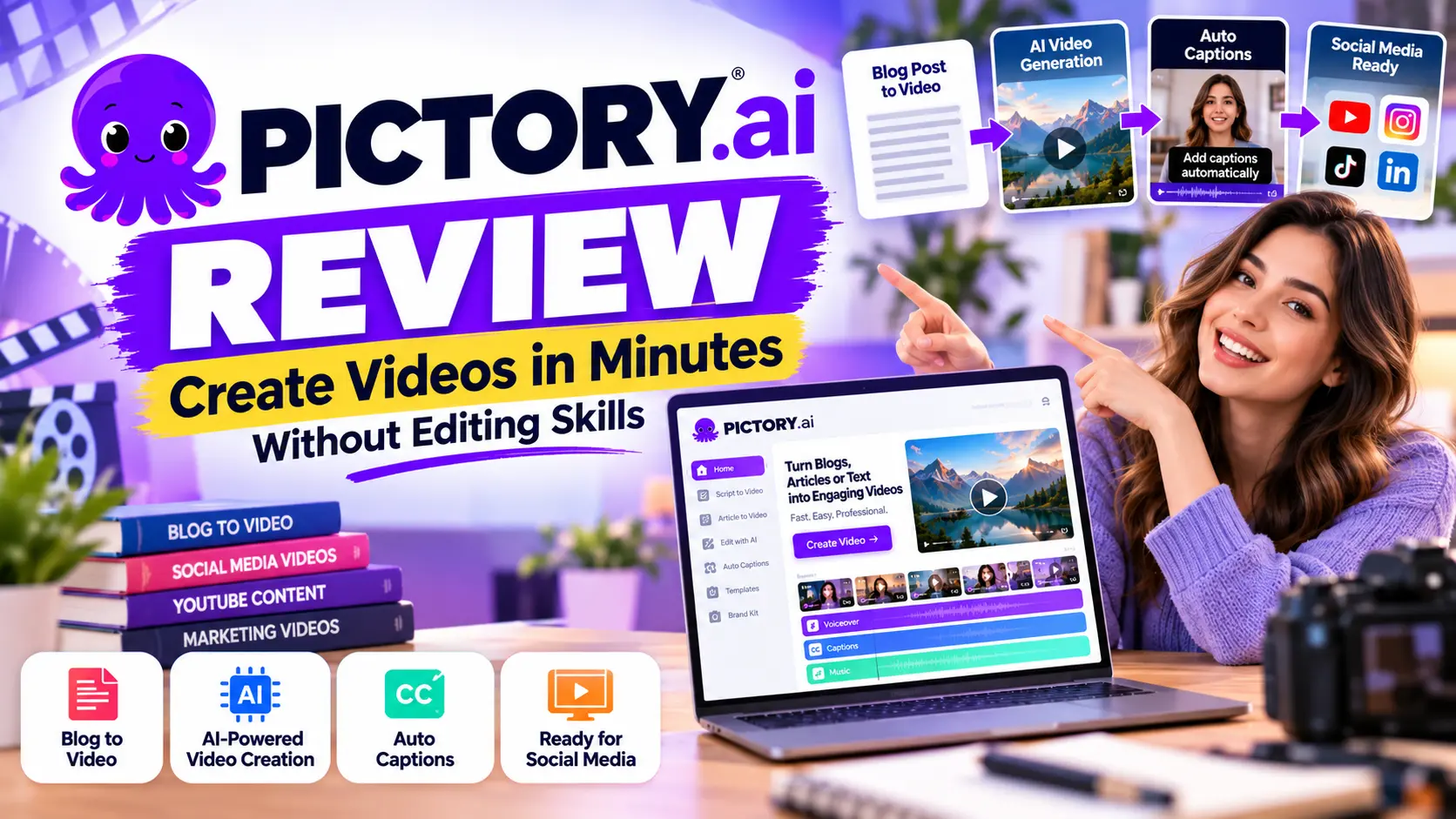
Pictory.ai Review: In today’s time, Videos have become one of the best and significant tools to connect with audiences. If you like to create professional-quality videos, then high-rated technical skills are required. But, Pictory.ai can make your work pretty easy with its super advanced technical features and multiple other things.
It’s a fact that video creation becomes pretty challenging among professionals, entrepreneurs, and digital marketers. So, by using the Pictory.ai tool, one can easily create content with a few clicks. These things make this AI-based platform quite responsive.
This is a multi-purpose tool that can deliver multiple technical features, including extracting highlights, adding captions, and matching visuals with scripts. One doesn’t need to face any critical technical issues. Just place your requirements together, and it’ll work automatically.
Through this article, I’ll provide you with a depth guide on this software, including features, pricing, pros and cons, with more. All you need to do is go through this article until the end.
What is Pictory.ai Review?
Pictory.ai is a cloud-based AI editing software that allows users to transform text, blogs and scripts into short and engaging content. It’s not like traditional software and won’t show any hindrances to handling it for sure.
You just need to set the command right there, and all the things will be automatically done right there. It’s specially created for students, professionals, marketers, content creators and many others. These things are quite specific and ensure you get ideological services for sure.
To use this system, you don’t need to install any high-end software. This is a web-based system that allows you to import the text and transfer that text-based script to a specific content for free. So, it works quite amazing while using it.
This web-based software also provides some customizable templates, stock visuals, background music, and branding options. All these things make this software quite responsive and productive among the non-technical users.
Pictory.ai Review: Key Features
Pictory.ai comes with multiple video editing features, which make it pretty unique among users. This software simplifies the ensure creation process significantly. We’re going to enlist those features right below.
#1. Pictory.Ai Text to Video
Pictory.ai comes with text-to-video functionality. As a user, you can simply paste the contents right there, and AI will automatically convert that text into a video. These things are pretty specific and help you make a quality video.
If you like to add any specific AI-based or your own voice over, then also using this system will idealise all the things effectively. It also allows you to edit the contents in different languages, so you can simply target more specific audiences through your content.
#2. Article-to-Video
If you’re an article writer or content marketer, then this feature will be a game-changer for your business. You can simply convert your written article to a specific video, which usually makes sense while exploring this tool.
Adding videos to your content will boost the SEO performance as well. You can also extract text or an article from blogs and create short video content for Instagram, Facebook, YouTube and other social media platforms with this software.
#3. Video Highlights Extraction
Long videos like podcasts, webinars, and interviews keep the value inside, but can’t hold the attention of the viewers. So, this software acts by extracting the video highlights. One can create some short videos by using this system.
It’s pretty functional and ensures you get some qualitative services. You can use those short clips as repurposing content and post them on social media platforms. These things are quite ideological and ensure you get some response from your audience.
#4. Auto-Captions & Subtitles
In today’s time, 80% of video content is watched without any sound. So, here Pictory.ai plays an important role by creating auto captions and subtitles for the videos. It makes the system pretty responsive and ensures you get high-quality captions for free.
Yes, it can put the action on the screen that will be easier to explore for the viewers. One can customise the fonts, colours, and placement according to the choice. It’s a very flexible technique to get a high-rated result without a doubt.
#5. Branding Options
Yes, consistency is very crucial for the recognition of a brand. So, Pictory.ai plays an important role by using multiple brand-promoting technical things, including logos, brand colours, and custom fonts. All these things are quite beneficial and bring the best experience while working.
These things help in bringing the creator’s company identity, which is very useful to get the target audience for your business. If you like to have a comprehensive online presence, then you should use this technical tool.
#6. Media Library
Pictory.ai comes with a vast media library to build the most engaging video content for free. This software provides you with stock footage, royalty-free images, and background music tracks, so it’ll definitely enhance your overall productivity.
This built-in library ensures that your created video becomes polished, professional, and aligns with your intended messages. If you like to get a better visual experience with your videos, then this AI-based software will deliver a quality service.
#7. AI-Powered Editing: Pictory.ai Review
Pictory.ai comes with AI-powered technicalities. One can do all the things automatically. So, you don’t need to spend time editing the videos while using this tool. It can do multiple things pretty automatically.
- Creating an Impressive Hook: Pictory.ai can create an impressive hook that can attract the eyeballs of the audience. It’ll get the best experience while creating an impressive video for your audience.
- Edit Videos with Text Command: This tool can edit the video through your text command. It looks quite responsive and extraordinary. If you like to have a significant technical service, then use this system.
- Remove the Background when Necessary: Yes, you can simply remove the background when it’s needed. This thing is quite specific and ensures you get an ideological experience while using it.
#8. Collaboration Tools
Pictory.ai comes with multiple collaboration tools as well. Multiple members of your team can work collaboratively. This feature makes this tool valuable for the agency or business owners.
This thing helps to boost the video production cycle as well.
Pictory.ai Review: How Does Pictory.ai Work?
The biggest advantage of Pictory.ai is its user-friendly workflow, with some other technical features. If you have zero editing experience, then you can also use this tool to create impactful short video content for social media.
Step 1: Sign up and log in
One can simply create an account with Pictory.ai without facing many hindrances. It’s a cloud-based system, so you don’t need to install the software and work directly through the browser.
Step 2: Select the Input Type
Once you have logged into the system, you can simply do multiple tasks, including creating a video from the script or turning a blog into a video form. So, these things are pretty easy to operate and get the best ever outcome.
Step 3: Upload or Paste the Content
You don’t need to do much work for this. All you need to do is paste the link and upload the video files. The system will automatically do all the things, and one will get a decent outcome while using this system.
Step 4: AI-Generated Video Draft
If you like to have an AI-generated video draft and complete visuals with other technical things, then exploring this system will be a better choice for you. One can get a decent visual presence, captions and background as well.
Step 5: Customise the Content
In case you like to customise the content specially, then you can also use this amazing tool. It’ll make all the things pretty clear for you with all the rated presence for you.
Step 6: Export and Share
If you are satisfied with your video content, then you can simply export that content from the system. You can simply share that content with a click. It’ll be quite responsive for you and help you get a decent experience.
All these steps are responsive, which you need to follow to get a decent outcome. Just use this tool in a proper way and get a qualitative presence and decent video.
Pictory.ai Review: Pros and Cons of Pictory.ai
With multiple technical advantages, Pictory.ai comes with a lot of limitations as well. Through this part, we’ll focus on this part.
Pictory.ai Review: Pros
- Pictory.ai comes with a user-friendly interface that is designed for beginners. If you don’t have an editing background, then you can also use this tool.
- It comes with simple and time-saving automation excellence. All the edits will be automatically saved on the system.
- This system also comes with a huge media library. So, you can pick any images, music, and footage without paying money.
- It’s a perfect software for content creators and business owners to scale their business through the video editing tool.
- If you like to add logos, colours and fonts to ensure consistency across all video content, then you can also use this tool.
Pictory.ai Review: Cons
- If you’re a professional editor and like to get a professional level of things, then try to avoid this software.
- This is a cloud-based software, so it works depending on the internet.
- The AI voice of the software makes the sound quite robotic. This is something that makes the content pretty annoying.
Yes, if you like to create an impactful video for your business and get the attention of the users, then using this tool will deliver the best experience ever to you.
Comparison: Pictory.ai vs Other AI Video Tools
We’ll compare Pictory.ai with multiple other tools.
#1. Pictory vs. InVideo
- InVideo offers thousands of templates, and it’s great for quick social media video content. The AI Voice over is less natural as compared to Pictory.
- Pictory works dedicatedly on long-form content, and it provides better voiceover and highlights extractions as well.
#2. Pictory vs. Lumen5
- Lumen5 is simply budget budget-driven and template-friendly tool. If you like to convert your blog content to video content, then using this tool will bring the best results ever.
- Pictory comes with more advanced features like text-based editing, highlight extraction and a stronger branding tool as well.
#3. Pictory.ai Studio vs. Synthesia
- Synthesia specialized in creating AI avatar-type videos. If you like to create videos for corporate training and multilingual videos, then using this tool will ensure you get a realistic presence for sure.
- Pictory showcases text-based editing, highlight extraction and stronger branding excellence.
Pictory AI Pricing & Plans (2026 Update)
Pictory.ai Studio comes with multiple subscription plans depending on different user types. If you’re a solo creator or an enterprise, then you can also use this specific tool.
- Starter: $19/month (billed annually)
- Professional: $39/month (annual)
- Team: $99/month (annual)
- Enterprise: Custom pricing
So, you can pick any of these plans according to your requirement. All these plans are quite specific, which will definitely deliver a decent experience to boost your skill with the money-oriented outcome as well.
Pictory.ai Review: FAQs
#1. Is Pictory.ai Free to Use?
=> Tough, Pictory.ai offers a free trial, but this software is not pretty to use. You need to go with a proper plan.
#2. Does Pictory.ai support multiple languages?
=> Yes, you can edit or export video in 20+ languages. So, this software supports multiple languages.
#3. Is Pictory good for YouTube?
=> Yes, Pictory is good for the YouTube video creation as well. Many creators use this software for their regular work.
#4. Can I Create a Long Video Using this Software?
=> Yes, you can create long-form videos by using this software.
Pictory.ai Review: Conclusion
Pictory.ai Studio is one of the most accessible and efficient tools in 2025. If you like to create video content through text, blogs and scripts, then using this tool will bring the best results. All you need to do is paste the content of the conversion page, and the system will automatically do the rest.
If you are a digital marketer, influencer, video creator or YouTuber, then using this tool will help you in creating quality video content. It’s not an expensive tool, but the outcome of this tool makes the content quite impactful.
Through this Pictory.ai review, we have provided you with the ultimate guide on this software. Now, it’s up to you to use this significantly. If you have any queries, then reach us via the comment box and Thanks for reading this article.