
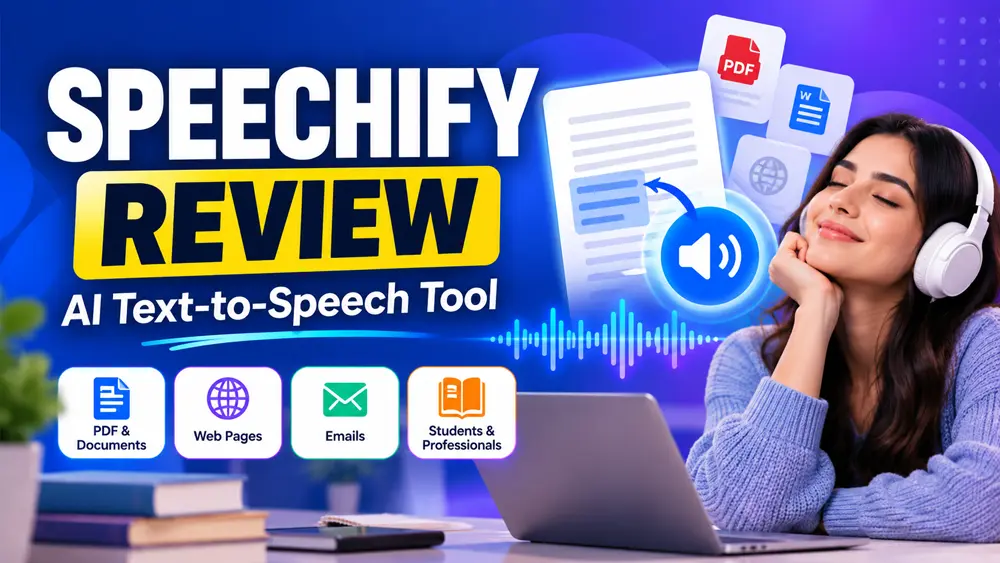
Speechify Review: In today’s daily life, it’s a harder task to read long documents, whether it’s a newspaper, a PDF, or other documents. So, Speechify can help you significantly by creating the most accessible content and creating text to voice facility. It’s one of the most fascinating tools with all the significant features that ensure you get an effective service.
Speechify comes with a natural service that can create natural sound based on AI technology. One can convert the text of a PDF, website, email, or Google Doc to voice. It comes with adjustable speed, multi-language support and AI voices.
One needs to user this tool properly to get an efficient result. Through this article, we’ll provide you with an efficient guide on this tool, including the features, pros and cons, with the pricing of this software. So, you need to read until the end to know more about this software.
What is Speechify Review?
Speechify is an advanced TTS application that is designed to convert text to voice. It’s capable of creating a natural voice within a few minutes. This software supports multiple files. So, one can simply convert those files into sound.
This application works on multiple platforms, like iOS, Android, and web browsers. It allows to use of the extension, which simply makes sense while using. It’s pretty easy to turn a long reading season into a summarised listening season.
It comes with a huge voice library and multi-language support. One user can choose a voice from 100 listed voices. All those voices are AI-created. If you like to minimize the time of listening, then speed up the voice file.
Speechify AI has become a valuable tool among students, professionals, and content creators.
Speechify Review: Key Features
Due to an advanced TTS (Text-to-Speech) tool, it comes with a wide range of features. The accessibility, productivity and appearance make this software pretty responsive among the users. In this part, we’ll discuss the key features of this software.
#1. Smartest Text-to-Speech Software
The TTS system can convert any natural text content to a specific summarised audio. It can convert Word documents, Google Docs, emails, and PDFs to a voice, which can save you time. This system can read the text aloud with precision.
This is a pretty productive technique that ensures you get a quality audio.
#2. Voice Library and Language Support
Speechify comes with more than 100 AI voices and 30 languages. This AI-based system creates a voice with celebrity-type narration for a more engaging experience. Users can select any of their desirable voices and list the text contents easily.
One can simply use this system for casual, educational and professional purposes.
#3. Speechify Review: AI Voice Cloning & Premium Voices
Speechify comes with a specific AI voice option that can mimic and create all the realistic voices. These things are quite ideal for the podcast, video narration and audiobooks. One can simply create and modify all that content according to usability.
#4. Adjustable Reading Speed
Speechify comes with an adjustable reading speed. One can customize the speed to 9x, which may save your time and ensure you provide the audio content speedily. With this, one can add an AI voice, which will deliver a significant outcome of the voice for sure.
If you’re travelling and like to listen to writing content, then this web-based tool will deliver a decent service to you.
#5. Cross-Platform Sync and Bookmarking
Speechify comes with a desktop, app and extension-based system. So, you can use this system with multiple devices for sure. As a user, it can highlight the text, bookmark and playback the content seamlessly.
This thing can make you pretty productive and help you get all the productive services without a doubt.
#6. Integrate with Multiple Tools
One can integrate Speechify AI with multiple tools, including Google Docs, Dropbox, emails and Google extensions. It can convert the writing content into quality audio. The Chrome extension of Speechify App can instantly read the article, online content and enhance the overall productivity for sure.
If you like to get the best performance and reduce your reading time, then nothing could be a better solution than using Speechify.
#7. Offline Accessibility and Mobile App
Speechify allows offline listening while using the mobile app. You need to convert the writing content to voice and download the file on your device. That’s it, everything will be automated, and you can listen to that content anytime you want.
Through the app, one can create a list, get a mobile notification and playback control. These things will definitely improve your usability and save you time for some productive work.
Speechify Review: Who Should Use Speechify?
Speechify is a significantly versatile tool for a wide range of users. This tool can be used by students to professionals.
- Students and Researchers: If you’re a student or researcher and you have to go through journals and books, then Speechify can save you time by converting all that text content to voice content. So, you can simply absorb all that content while you’re doing other work or talking to someone.
- Content Creators and Podcasters: If you’re in the content creation and podcasting field, then you can also use this system to summarise your research paper and question modules. In this way, it’ll definitely save your time.
- Busy Professionals: In case you are a business professional, executive or an entrepreneur, then Speechify Studio can help you to listen to the business news, reports and emails. It can help you become multitasking and maximize your productivity.
- Language Learners: This tool comes with multi language option. If you like to learn a new language, then it can help you improve your pronunciation and narration.
- Best for Visually Challenged People: Speechify is the best option for visually challenged people. This can simply convert the writing content to voice. So, this thing will help visually challenged people to listen newspaper, emails and many other productive things.
In short, if you like to improve accessibility, save time and want to become a multitasker, then Speechify App would be the best solution for you.
Speechify Review: Comparison with Other TTS Tools
In this part, we’ll compare Speechify with other TTS tools, which will help you in selecting the best one according to your needs. This part is going to be pretty interesting for you.
#1. Speechify vs. Natural Reader
- Natural Reader is well-known for converting documents to speech with natural voices. The output of this system is quite efficient and ensures you get a quality audio file even when you are offline as well.
- Speechify comes with almost the same features, but it has some wider specificity when it’s used on mobile as compared to Natural Reader. One can use this system on Google Chrome with the Chrome extension.
#2. Speechify vs. Eleven Labs
- Eleven Labs is reputed for its voice cloning and realism. It can deliver the best-ever human-like voices by using the AI voice creation module. This is a very popular tool among storytelling, podcasts and character-driven projects.
- On the contrary, Speechify Studio is famous for its versatile uses, which can help students, professionals and readers by converting longer content to a voice version. If you’re a business professional or student, then you can definitely use this tool.
#3. Speechify vs. Murf.ai
- Murf.ai is created for voice-over and a professional sounding. It comes with fine control over the tone, pitch and emphasis. If you’re a digital marketer and like to create ads and many more things, then you can use this tool.
- In contrast, Speechify helps in casual reading, learning and pretty responsive accessibility. It’s better for the content creation, production and consumption. If you like to save some of your time, then definitely use this software.
#4. Speechify vs. Microsoft & Google TTS
- Microsoft & Google TTS help you by solving basic text-to-speech services. It can help you in getting the best service with the Polish presence of the sound, which makes this software pretty responsive among users. Yes, it’s a free tool, so you can go with it.
- Speechify comes with all the premium features with the supreme level of accessibility and ensures you convert content from text to speech. One can use it quite conveniently without any issues.
#5. Speechify vs. Play.ht
- If you’re in the professional audio creation, narration and long-form audio exporters, then using Play.ht would be the best choice for you. This will bring a decent service with a qualitative appearance while converting the text to audio.
- Speechify is more student-friendly and focused on productivity. If you like to enhance the efficiency of work by boosting your knowledge consumption, then you should definitely use this specific tool.
Pros and Cons: Speechify Review
With multiple advantages, Speechify comes with different disadvantages as well. We’ll analyse all these things;
Pros
- Enhance the Accessibility: Speechify Studio can help you by enhancing the accessibility of the content. It’ll definitely make sense while exploring this tool.
- Use in Different Platforms: One can use this tool in different platforms, including iOS, Android, and Windows.
- Pretty Natural Appearance of the Voice: As a user, one can get the natural appearance of the voice. It definitely makes sense while using.
- Customizability: You can customize the speed, voice, accent and narration while using this software.
- Improve the Overall Productivity: You can improve the productivity by listening to the article, emails, reports and textbooks.
Cons
- Internet Dependent: This is an internet-dependent system. One will get pretty limited features with the offline version.
- Free Version is Restrictive: The free plan limits the voice speed, voice option and download/export feature.
Speechify Review: Pricing & Plans
Speechify comes with both free and paid plans. One can get multiple audiobooks with all the subscriptions that Speechify provides. We’ll provide you with a detail’s idea of these plans right here.
# Free and Limited Plan
- You don’t need to pay a single penny; it costs $0/Month
- It comes with 10 standard reading options,
- One can’t optimize the reading speed,
- It only comes with text to speech productive technicalities.
# Premium Plan
It costs around $11.58/Month.
- Supports 20 languages,
- It comes with a scan to listen to printed text,
- This system comes with online listening and device syncing.
#Explore Audio Book Plan
- It charges $9.99/Month.
- One can get access to 60,000 actor-narrated audiobooks and new titles as well.
If you like to use the Speechify tool occasionally, then using the free plan would be the best choice for you. In case you like to upscale your productivity and get a specified service, then using the Speechify tool would be a better option.
You can simply buy a Speechify premium subscription by clicking below discount button below.
FAQs on Speechify Review
#1. Is Speechify Free to Use?
=> Yes, Speechify is definitely free to use with limited features. In case you like to boost your ultimate productivity, then use the premium version.
#2. Does Speechify work offline?
=> Yes, Speechify works offline as well, but only the premium version. The free version can’t run without internet connectivity.
#3. How much does the Premium Version Cost?
=> The premium version of Speechify costs around $11.58/Month. If you like to explore content in multiple languages, then using this tool would be a better choice for you.
#4. Can I use this Tool for the voice-over and Content Creation?
=> Surely, you can use the Speechify tool for the voice-over content creation for free. It’ll enhance your overall productivity without a doubt.
#5. Does this Tool Support Multiple Operating Systems?
=> Yes, Speechify supports multiple operating systems. So, you can simply use this tool and get fascinating service while using it on iOS, Android, and Windows as well.
#6. Can Speechify Read Printed Text?
=> The premium version comes with OCR technology. So, it can read the printed text without any technical hindrances.
Conclusion on Speechify Review
Speechify is one of the most widely used text-to-speech tools with the best features and easy accessibility. It comes with all the top-rated and powerful solutions that make this tool quite responsive for users.
If you’re a student or working professional, both can use these tools. It’ll definitely be responsive among all the users. One can use this tool on multiple devices and operating systems. Just explore this qualitative tool and get a smoother text-to-speech transition.
Through this Speechify Review article, we have provided all the pros, cons and plans for this tool. It’ll definitely help you decide whether you should buy this tool or not. If you have any queries regarding this tool, then inform us via the comment box.
Thanks for reading this article!